The WaveGrid app icon

PX7 Audio WaveGrid

Compose music with patterns, samples and synths.

Enter notes with your keyboard, arrange patterns into songs and shape sounds with samples and built-in synths. Export your music as WAV, stems or MIDI.

macOS 14 Sonoma or later, Apple silicon or Intel.

Less than 5 MB to download.

€25 one-time · one app-specific key for up to 7 Macs · no account or subscription.

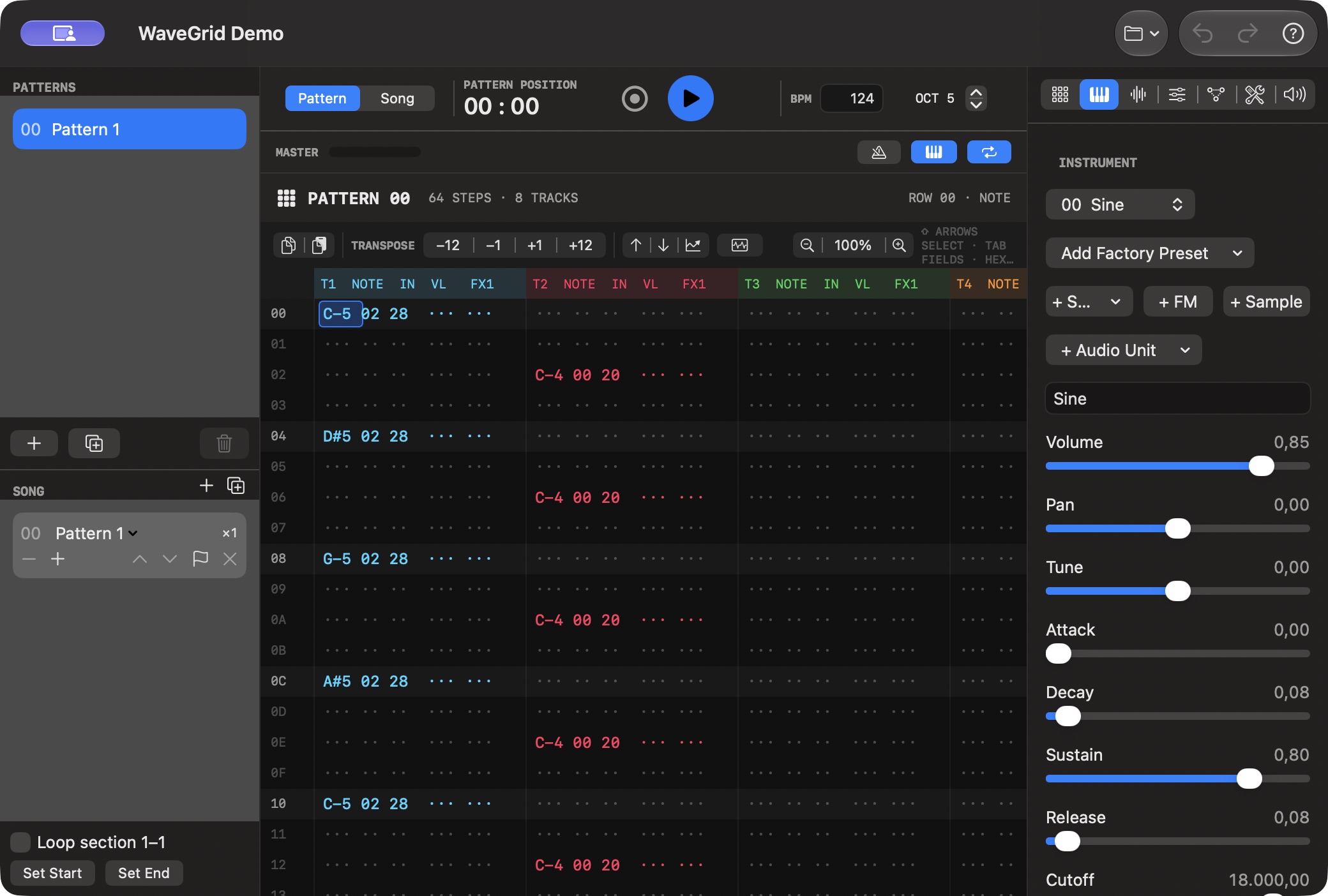
PX7 Audio WaveGrid showing notes in a tracker pattern and synthesizer controls
Enter notes in patterns, arrange them into a song and adjust instruments alongside the grid. Shown with the built-in WaveGrid Demo project.

Compose with keyboard-controlled patterns and instruments.

Write without reaching for the mouse

Enter notes and effects from the keyboard, edit individual fields, select ranges, transpose, interpolate and build grooves. Notes and effects are edited in the pattern grid.

Samples, subtractive synthesis and FM

Drop in your own samples, record a sound, or create one with subtractive and FM synthesis. Projects can embed their samples, so the song travels as one file.

Turn patterns into a finished track

Arrange in Song mode, queue patterns live, add swing and use tracker effects from arpeggio and retrigger to vibrato, slide, chords and chance.

A mixer when you need one

Shape each track with inserts, then finish through filter, drive, bitcrusher, delay, reverb and limiter. Export the mix as WAV or render stems for the next stage.

MIDI, recording and Audio Units

Record from CoreMIDI, import and export MIDI, capture microphone or line input, and use Audio Units.

Your music stays yours

Projects are saved on your Mac. Autosave and recovery help you resume interrupted work. No account or upload is required.

The details

Quick answers

Questions about PX7 Audio WaveGrid

What is PX7 Audio WaveGrid?
Create tracker music on your Mac with fast keyboard entry, patterns, instruments, samples and native audio export. Seven-day trial, €25 once.
Where does PX7 Audio WaveGrid do its work?
PX7 Audio WaveGrid processes audio locally on your Mac.
How much does PX7 Audio WaveGrid cost?
PX7 Audio WaveGrid costs €25 once. It includes a seven-day trial, and one app-specific key can be used on up to seven Macs. There is no subscription.
Which Macs can run PX7 Audio WaveGrid?
macOS 14 Sonoma or later, Apple silicon or Intel
What is a music tracker?
A tracker writes music in a vertical grid instead of on a horizontal timeline. Each column is a channel, each row is a step in time, and notes are typed from the keyboard rather than drawn with a mouse — which is why trackers stay popular for fast, pattern-based composing.
Is there a native music tracker for Mac?
Yes. PX7 Audio WaveGrid is written for macOS and uses native audio, native file handling and standard Mac shortcuts. Enter notes in a pattern grid, arrange patterns into songs and export the result.
Can I make tracker music on an Apple silicon or Intel Mac?
Yes. WaveGrid is Universal for Apple silicon and Intel, and supports samples, a subtractive synth, an FM synth and Audio Units, exporting a WAV mix, stems or MIDI.
Is WaveGrid an alternative to Renoise?
They serve different needs. Renoise is a far more comprehensive tracker with deeper routing, effects and a large plugin ecosystem, and it remains the stronger choice for complex productions. WaveGrid is focused and native: patterns, instruments and export, without a project setup to work through first. If you want depth, choose Renoise; if you want to start writing immediately on a Mac, WaveGrid is the shorter path.